![LOGO-White-RGB.png]](https://help.choozle.com/hs-fs/hubfs/LOGO-White-RGB.png?width=160&height=35&name=LOGO-White-RGB.png)
Amazon Creative Upload and Approval Process Overview
Below is a high-level overview of the upload and approval process of Amazon creative assets. Additional helpful resources will be linkd where appropriate.
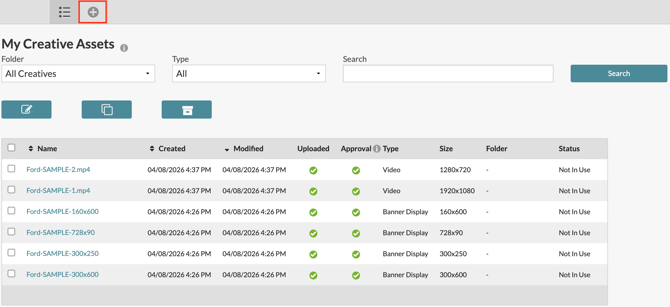
- Upload creative assets by navigating to Libraries -> Creative Assets and selecting the '+' button found in the top left.
- Creatives will go through a multi-step approval process, detailed in the Creative Asset Approval Process. Once creative assets are initially approved, they will be available to add to campaign ad groups.
- When creative assets are added to an ad group, the final approval process will be triggered and performed by the DSP provider on an ad group by ad group basis. Approval for the use in one ad group does not guarantee approval for use in a different ad group.
Notes:
-
The initial approval process takes 24-72 hours from start to finish.
- Be sure to add creative assets to ad groups in advance of targeted campaign start date to ensure a timely launch due to the final approval process through the DSP provider
Approval Status within your Creative Library
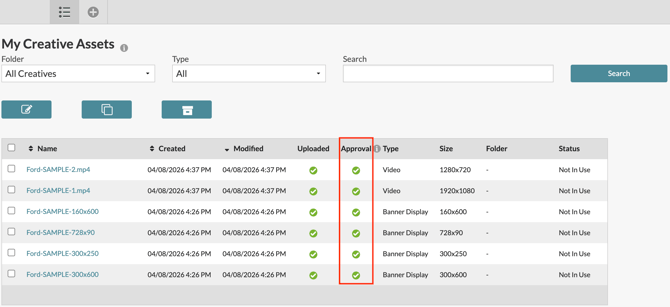
Within the initial page of your creative asset library, you will find a table of all uploaded creative assets within a give account across all utilized DSP providers, including Amazon DSP.
However, it is important to note that the 'Approval' column within your creative asset library only pertains to the approval status of creative assets for use within a campaign utilizing 'The Trade Desk' as the DSP provider. It DOES NOT accurately reflect the creative's approval status for a campaign utilizing 'Amazon' as the DSP provider.
An accurate approval status will be found within the ad group builder, detailed below.
Adding Creative Assets to an Ad Group
In order to add creative assets to an ad grouop, either create a new campaign or navigate to an existing campaign. In either case, you will find an option to 'add an ad group.'
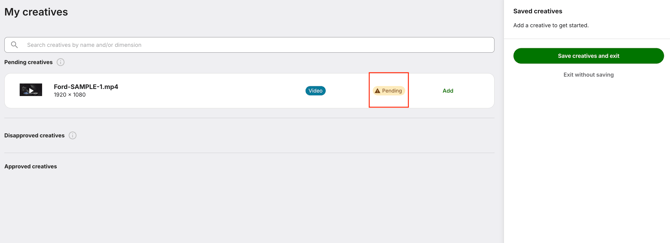
At the bottom of the ad group builder, there will be a section to add creative assets. Select any creative asset labeled 'Pending' or 'Approved' to your ad group.
Notes:
-
All creatives that have yet to be added to any ad group in any previous campaigns will be marked as 'Pending.' Assets will only receive the status of 'Approved' once they have passed Amazon's final approval and are utilized within an active campaign.
- All creatives selected for an ad group, regardless if selected from the 'Pending' or 'Approved' creative asset groups, will show a status of 'Pending' upon selection until Amazon completes its final approval for the desired specific use case of the creative.
- If a creative asset shows the status of 'Disapproved,' please file a Support Ticket, and our team will reach out with additional details.