![LOGO-White-RGB.png]](https://help.choozle.com/hs-fs/hubfs/LOGO-White-RGB.png?width=160&height=35&name=LOGO-White-RGB.png)
GUIDE
Getting Started
An ad group is a single set of ads with an associated bid and audience within a campaign. Each of your campaigns comprises one or more ad groups that can be managed individually. This allows you to adjust a single variable, such as bids, budget, creative, and more, within one ad group without affecting other ad groups' success within your campaign.
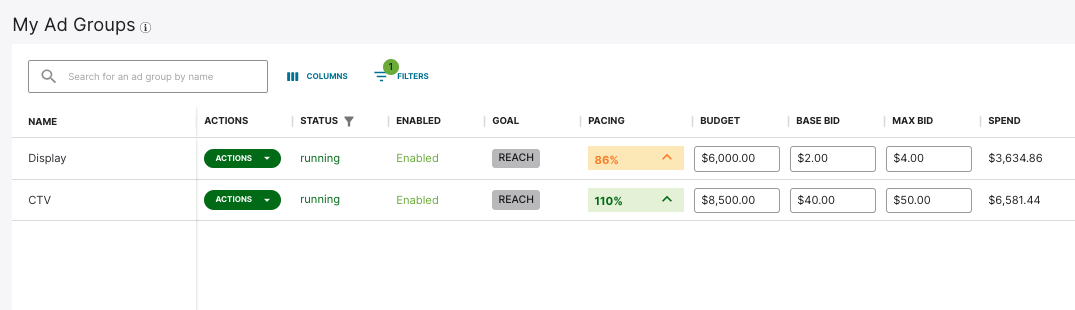
If you have multiple ad groups, you will see them as components of your overall campaign in Choozle in the Campaigns Tool.
Using CTV Ads
CTV ads, also known as streaming TV ads, are a dynamic video format used in digital advertising. CTV is one of the fastest-growing creative formats, typically delivering full-screen, unskippable content across various video lengths, such as 15- or 30-second spots.
These creative formats appear across premium streaming platforms, smart TV apps, and live-sports networks associated with Amazon’s publisher ecosystem.
As with any ad or marketing message, CTV ads should have a clear, voice-over or on-screen call to action (CTA), such as "Scan the QR code to shop" or "Search for us on Amazon", so viewers know exactly how to engage, even while sitting on the couch.
For your CTV ad to build deep brand awareness, make it easy for viewers to identify your business within the first few seconds of the video. Your business name and logo should be clearly visible, and your core offering should be obvious right off the bat. Because CTV is a highly immersive, sight-and-sound experience, this immediate clarity helps potential customers instantly recognize your brand, understand its relevance to their lives, and remember you long after the screen goes dark.
Create an Ad Group with CTV Ads
Below is an overview of setting up an ad group if you are using CTV ads.
- Before getting started, be sure to upload your Creative assets that adhere to the following specifications into Choozle's Creative Asset Library for use in your digital advertising campaigns. We recommend uploading creatives 72 hours before the launch of your campaigns to allow the exchanges ample time to approve the creatives and our technical support team time to troubleshoot any issues with the creatives. Note that all creatives uploaded into Choozle will undergo the Creative Asset Approval and Validation Process.
- After you have created your campaign, you will be instructed to set up your first ad group. If you want to create additional ad groups, select Create ad group.
- Define your ad group settings. Give your ad group a name, select the Connected TV creative type, and then choose applicable Product Categories. Product Categories selections will help inform optimal ad placements.
- Select a Geolocation . Geolocation is a required component of all campaigns within Choozle and is set at the ad group level. All countries, states/provinces/regions, and cities/DMAs are available directly within the Choozle platform.
- Select preferred supply sources. For Amazon Connected TV ad groups, the following choice should be selected: Amazon Streaming TV. Selection of supply sources will determine the extent of available inventory options.
- Select an audience (Optional). Audiences built within the account will populate in this section. If an audience was built for or relates to a given ad group, it can be selected here.
- Select a Private Marketplace Deal. All Amazon Connected TV ad groups must select at least one PMP deal.
- Review your advanced settings. Choose your targeted device type preferences, customize your frequency settings, and optionally set a viewability goal.
- Choose your ad group budgets and bids. At this level, you will be able to choose the campaign’s Total Ad Group Budget, the Budget Cap (uncapped vs. capped daily), a Base CPM Bid, and a Max CPM Bid. For bid recommendations, reference Choozle's CPM Cheat Sheet.
- Add your CTV creative asset(s) to the ad group.
- Save ad group.
Need Help?
If you have any additional questions please reach out via your Customer Support Portal!
