![LOGO-White-RGB.png]](https://help.choozle.com/hs-fs/hubfs/LOGO-White-RGB.png?width=160&height=35&name=LOGO-White-RGB.png)
Guide
Getting Started
The Brief (formerly Creatopy / Bannersnack) has features that make it easy to use with Choozle for hosted HTML5 assets, as long as you understand the flow to export your ads correctly.
They continue to make updates, and we do our best to keep our article up to date with these changes, but it is always good to check out the latest articles by The Brief for the most up to date information.
As follows are step-by-step instructions on how to export new creatives and how to export existing creatives.
Exporting The Brief Assets for Uploading to Choozle
Make sure you are not adding other button/click through actions to the creative, or other events that may impact the clickTag function, which you will want to use.
Once your asset is ready to go, follow the instructions below to export it from The Brief.
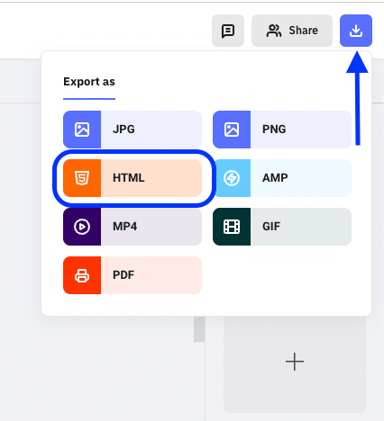
- Click the download icon at the top right corner.
- Select HTML from the dropdown.
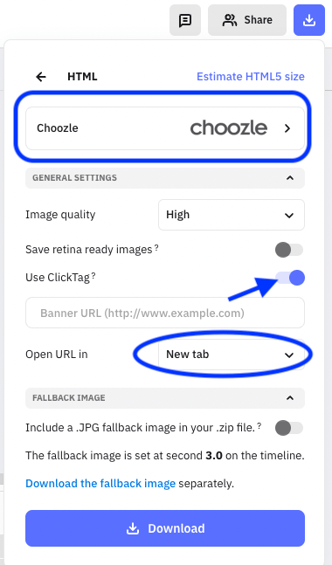
- Select Choozle as the Ad Network from the options available.
- Turn the 'Use ClickTag' option on (but do not add a Banner URL in the available field)
- For 'Open URL in' , select the 'New tab' option
- That's it! Click to Download and you are all set.
Uploading The Brief Assets to Choozle
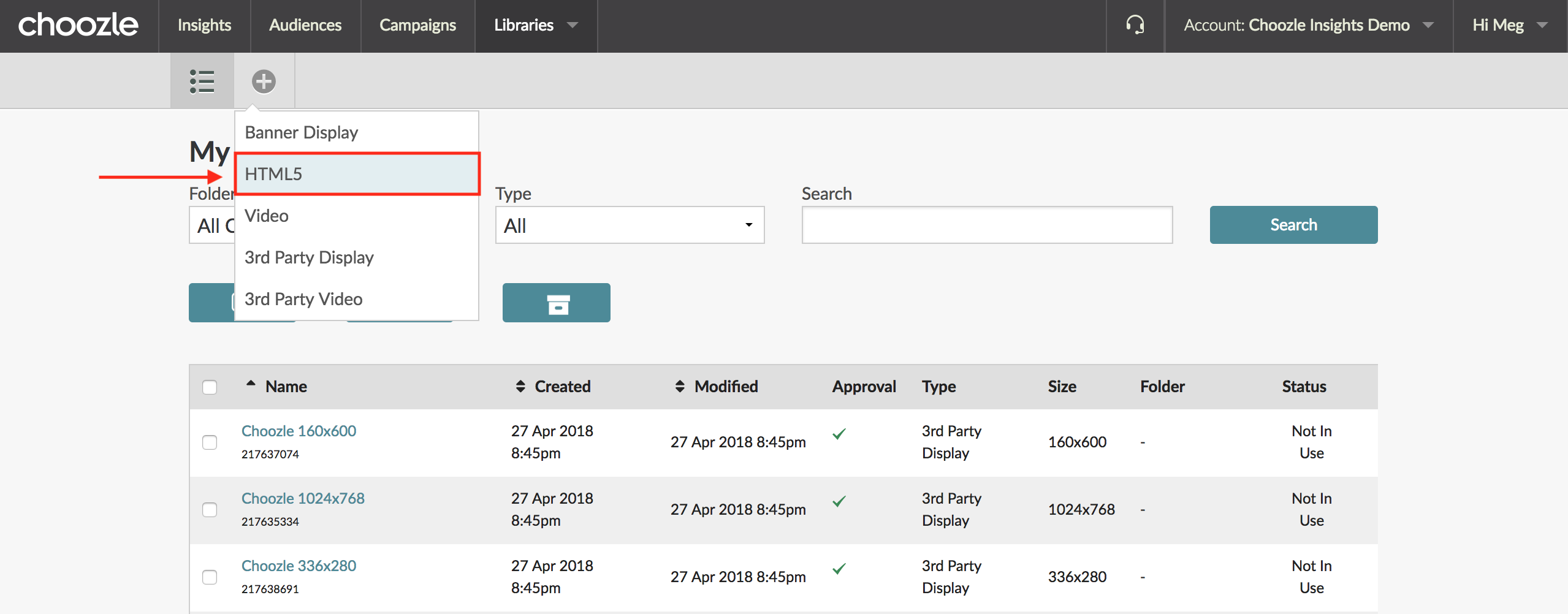
- Navigate to Libraries > Creative Assets.
- Click the + icon in the light gray sub-navigation bar and select a creative type of HTML5.
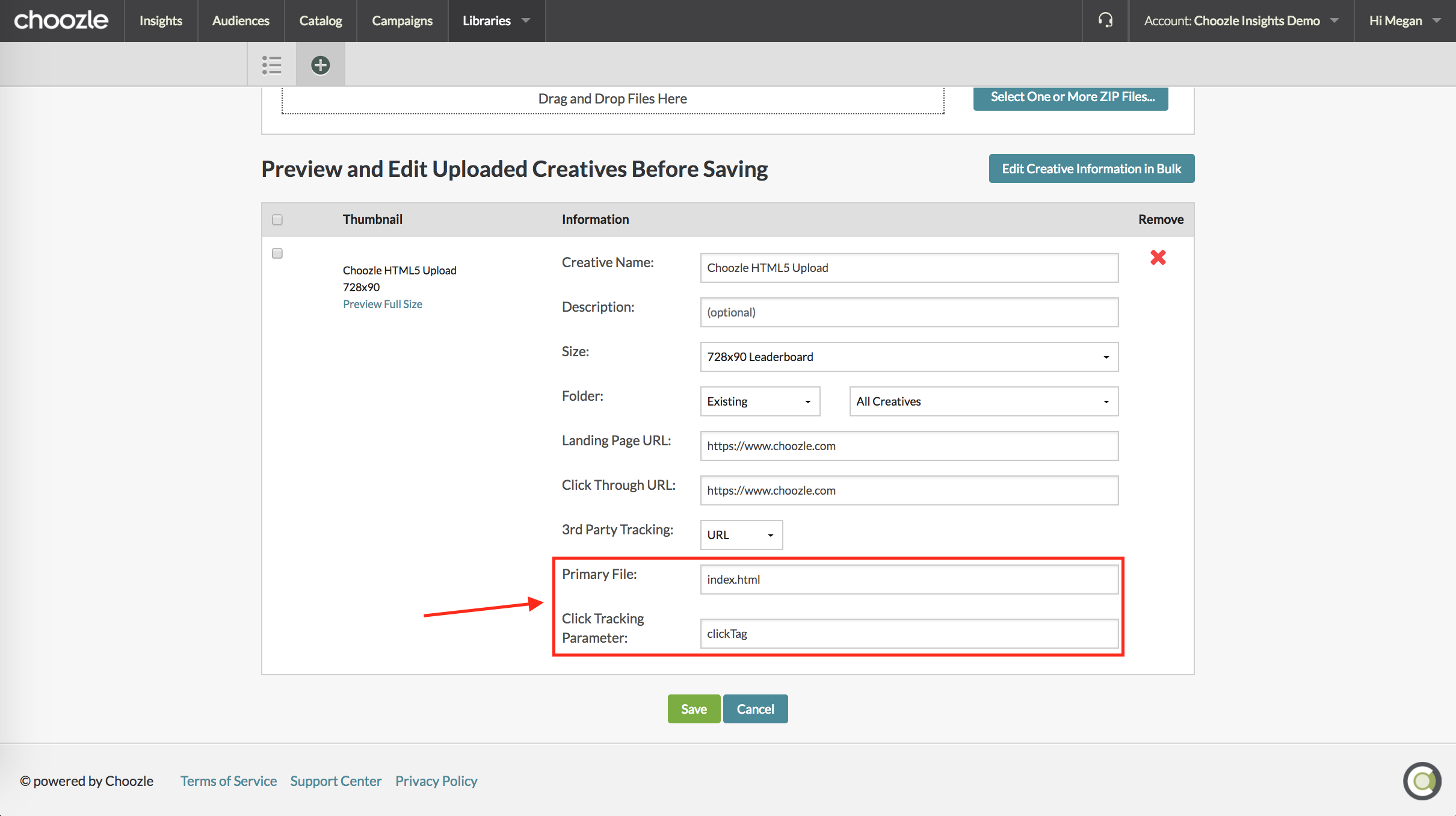
- On the following page, enter the creative name, size, and landing page and click-through URLs.
- Leave index.html as the Primary File.
- Enter clickTag (case-sensitive) as the click-tracking parameter.
- Click the green Save button.

Need Help?
If you have any additional questions please reach via your Customer Support Portal!