![LOGO-White-RGB.png]](https://help.choozle.com/hs-fs/hubfs/LOGO-White-RGB.png?width=160&height=35&name=LOGO-White-RGB.png)
GUIDE
Getting Started
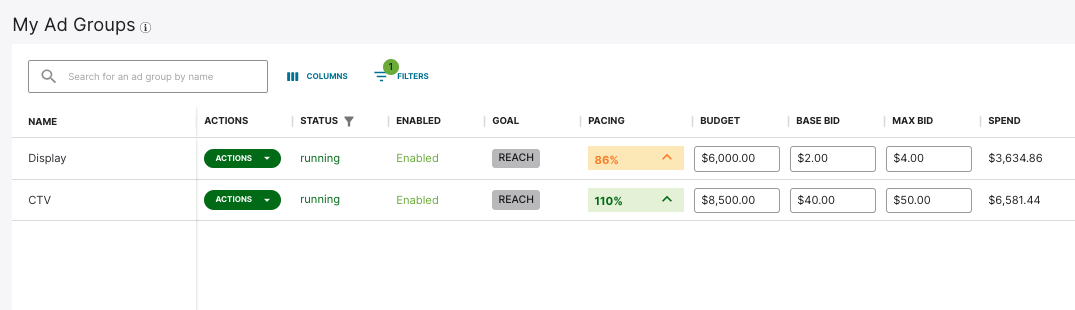
An ad group is a single set of ads with an associated bid and audience within a campaign. Each of your campaigns comprises one or more ad groups that can be managed individually. This allows you to adjust a single variable, such as bids, budget, creative, and more, within one ad group without affecting other ad groups' success within your campaign.
If you have multiple ad groups, you will see them as components of your overall campaign in Choozle in the Campaigns Tool.
Using Banner Display Ads
Display ads, also known as banner display, are a creative format that can be used in digital advertising. Banner Display is the most common creative format and comes in various sizes (Creative Specs).
These creative formats appear across various sites associated with Amazon or their publisher network.
As with any ad or marketing message, Banner Display ads should have a clear call to action so that users will want to click on the ad and know exactly what they’ll get if they click on it.
For your display ad to build brand awareness, make it easy for users to identify your business as soon as they see your ad. Your business name and/or logo should be on there, and it should be clear right off the bat what you have to offer. This helps potential customers recognize you, know right away if your business is relevant to what they are looking for, and stash the info away for future recognition.
Create an Ad Group with Banner Display Ads
Below is an overview of setting up an ad group if you are using banner display ads.
- Before getting started, be sure to upload your Creative assets into Choozle's Creative Asset Library for use in your digital advertising campaigns. We recommend uploading creatives 72 hours before the launch of your campaigns to allow the exchanges ample time to approve the creatives and our technical support team time to troubleshoot any issues with the creatives. Note that all creatives uploaded into Choozle will undergo the Creative Asset Approval and Validation Process.
- After you have created your campaign, you will be instructed to set up your first ad group. If you want to create additional ad groups, select Create ad group.
- Define your ad group settings. Give your ad group a name, select the Display creative type, and then choose applicable Product Categories. Product Categories selections will help inform optimal ad placements.
- Select a Geolocation . Geolocation is a required component of all campaigns within Choozle and is set at the ad group level. All countries, states/provinces/regions, and cities/DMAs, and postal codes are available directly within the Choozle platform. For more granular targeting, postal code lists can be created and uploaded into the platform for any country with a uniform postal code system.
- Select preferred supply sources. For Amazon Banner Display ad groups, the following choices exist: Amazon Ads, Amazon Publisher Services, and IMDb. Selection of supply sources will determine the extent of available inventory options.
- Select an audience (Optional). Audiences built within the account will populate in this section. If an audience was built for or relates to a given ad group, it can be selected here.
- Select a Private Marketplace Deal (Optional). If desired, select from the list of curated PMP deals.
- Review your advanced settings. Choose your targeted device type preferences, customize your frequency settings, and optionally set a viewability goal.
- Choose your ad group budgets and bids. At this level, you will be able to choose the campaign’s Total Ad Group Budget, the Budget Cap (uncapped vs. capped daily), a Base CPM Bid, and a Max CPM Bid. For bid recommendations, reference Choozle's CPM Cheat Sheet.
- Add your Display creative asset(s) to the ad group.
- Save ad group.
Need Help?
If you have any additional questions please reach out via your Customer Support Portal!
